Manual spreadsheet routine
- Formulas tied to column positions
- Copied helper columns and repeated filters
- Manually scan rows for exceptions
- Rebuild formulas when export layouts shift
- Hard to explain why a pair matched
LOCAL-FIRST RECONCILIATION
When exports from two systems disagree, find missing or changed records, review exceptions, and export a result you can check. You confirm the fields and rules.
From two exports to a decision you can explain
CSV, XLS and XLSX files · No direct system integration required · Source rows processed on your device
A simple workflow
Source A + Source BMapMatchReviewExport
See: Matched records · Changed records · Missing records · Conflicts · Invalid rows · Review before export
Inside the workflow
Review result categories, available source values, differences and provenance together before export.
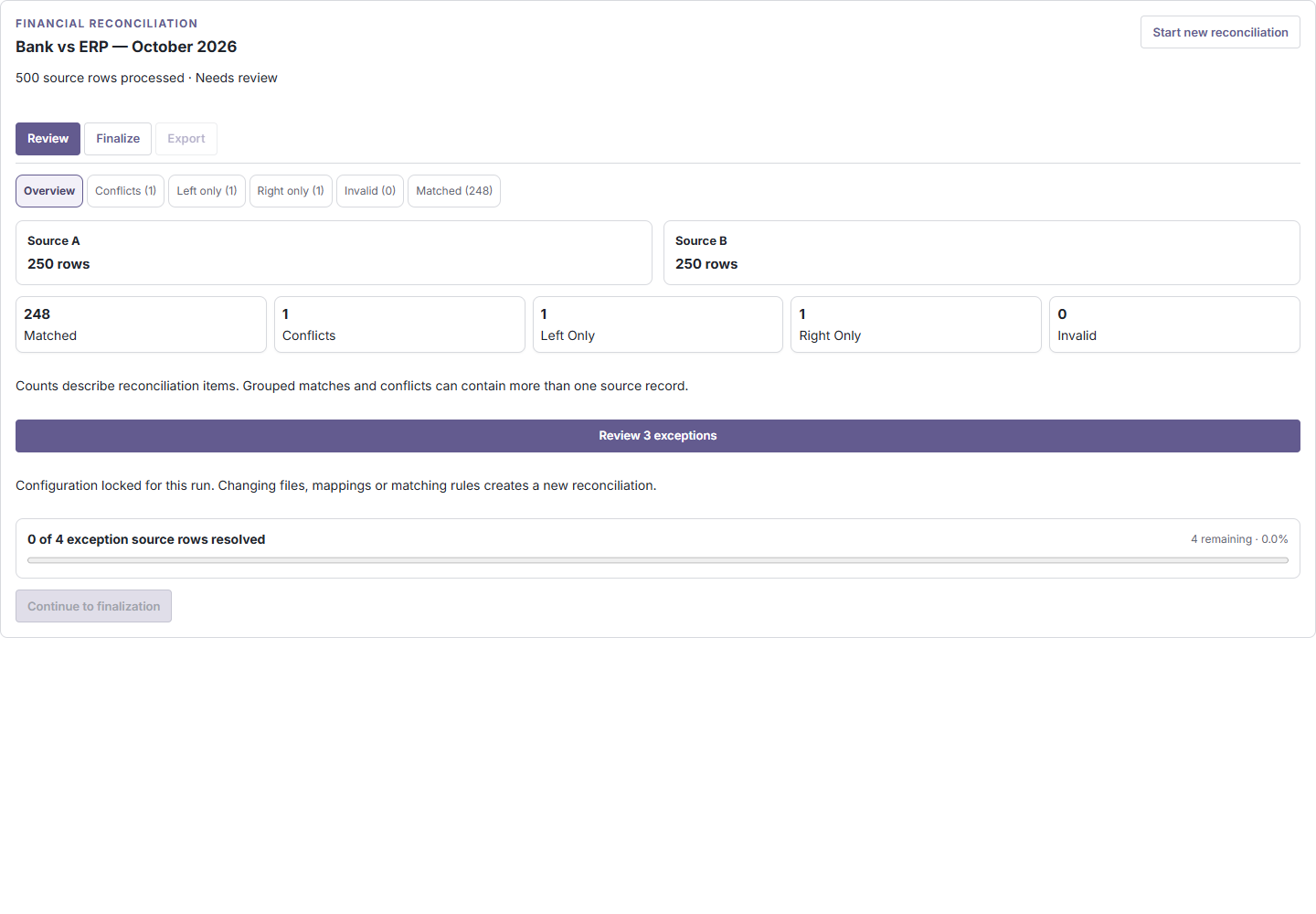
A clearer alternative to formula chains
Compare the exports you already have
Use exports from the systems your team already relies on; direct bank, ERP, processor or warehouse connections are not required.
Find missing transactions and amount or date differences.
Compare processor payments with settlement records.
Compare advertising exports with card, accounting or client billing files.
Validate before-and-after exports for missing or changed records.
Compare exported quantities, statuses and locations.
Built for a result you can check
Your source data is processed on your device. Large workloads may use local browser storage.
Matching follows the configured rules. AI does not decide matches.
Inspect result types, available source values, differences and source locations.
Ambiguous records stay unresolved for review before supported finalization and export.
Product integrity
ReconLoom applies configured matching rules deterministically instead of inferring what a match should mean.
Potential conflicts are not silently forced into a match. Review supported decisions before completing the workflow.
Financial results must be finalized before export. Generic Record finalization records a reason and acknowledges unresolved exceptions when present.
How it works
Plan limits
Free
Up to 10,000 rows total (5,000 per side)
2 files per side
Try Demo
Up to 100,000 rows total (50,000 per side)
2 files per side
Pro Trial
Up to 100,000 rows total (50,000 per side)
32 files per side
Paid Pro
Planned capacity: up to 10,000,000 rows total (5,000,000 per side)
32 files per side
CSV files support up to 500,000 rows per file; XLS/XLSX files support up to 50,000 rows per file. Large workloads may use local browser storage and depend on available device resources. Paid Pro is planned; checkout is not currently available, and final pricing has not been published.
Questions, answered
Reconciliation source files and rows are processed locally on your device. Large workloads and saved run details may use local browser storage. Trial verification, entitlement checks and limited analytics use network services when those features are used; see the Privacy Notice before use.
Source rows and spreadsheet cells are not sent to ReconLoom services. Large workloads may use local browser storage. Trial verification, entitlement checks and limited analytics use network services when those features are used.
No. Matching follows the fields and rules you configure. Ambiguous candidates remain available for review.
No. Choose the structured CSV, XLS or XLSX exports you want to compare.
Limits depend on your access, file format and device. See the plan limits above.
Ready to compare your files?
Start with your own exports for free, or try Demo with sample data. Pro Trial is available where configured.
A practical business question
A finance team can compare a bank export with ledger entries; a warehouse team can compare SKU quantities from two systems; and a migration team can check before-and-after customer records. ReconLoom works on exported files, not live system connections. These are examples, not testimonials or measured savings.
Try with synthetic sample exports or review the related workflow before using business-sensitive data.